How the chatbot works
The chatbot is the service already running in production, and that’s why it’s on this site: it’s the proof that what comes out of a diagnostic actually gets built.
This page covers what it does, what it doesn’t, what each channel requires, and what you pay vendors directly. Anything that doesn’t exist yet isn’t on here.
What it does
- It answers using your business’s information. Hours, prices, services, policies — whatever you load into the dashboard. Nothing else.
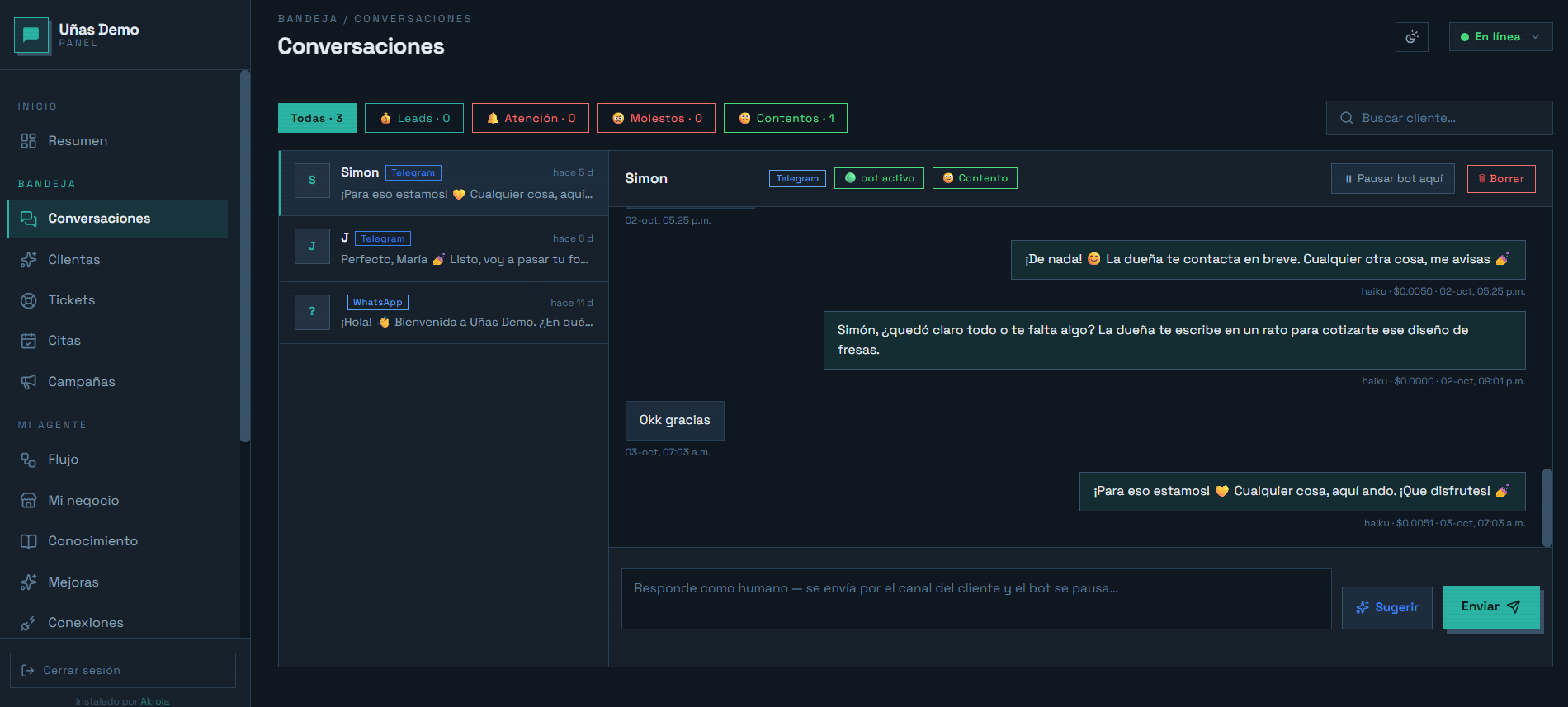
- It takes appointment requests and never confirms one on its own. It asks for service, date, and time, saves it as pending, and alerts you. You confirm from the dashboard, and the bot replies to your customer on whatever channel they wrote from.
- It keeps whoever writes in. Name, contact, and what they needed, visible in the dashboard, so nobody gets lost between messages.
- It hands the conversation to you when it should, then stays quiet for an hour so it doesn’t talk over you. Afterward it picks back up on its own.
- It sends you a summary every morning: how many conversations came in, how many appointments were requested, what’s still pending.
It doesn’t make things up, and that’s the part that matters
Before sending any reply, the bot checks that the prices, hours, addresses, and phone numbers it’s about to say are actually loaded in your information. If they aren’t, it doesn’t say them: it answers that it will confirm, and leaves you a note.
A bot that improvises a price doesn’t save you time. It hands you a problem with a customer who already read the number.
What it doesn’t do
- It doesn’t charge or process payments.
- It doesn’t give medical, legal, or financial advice. If the topic is sensitive, it hands the conversation to you.
- It doesn’t search the internet. It only knows what you gave it.
- It only sends photos you uploaded, with the names you gave them.
- It doesn’t decide exceptions to your policies. If a customer asks for special treatment, that comes to you.
- It never messages anyone first unless you decide so.
The channels
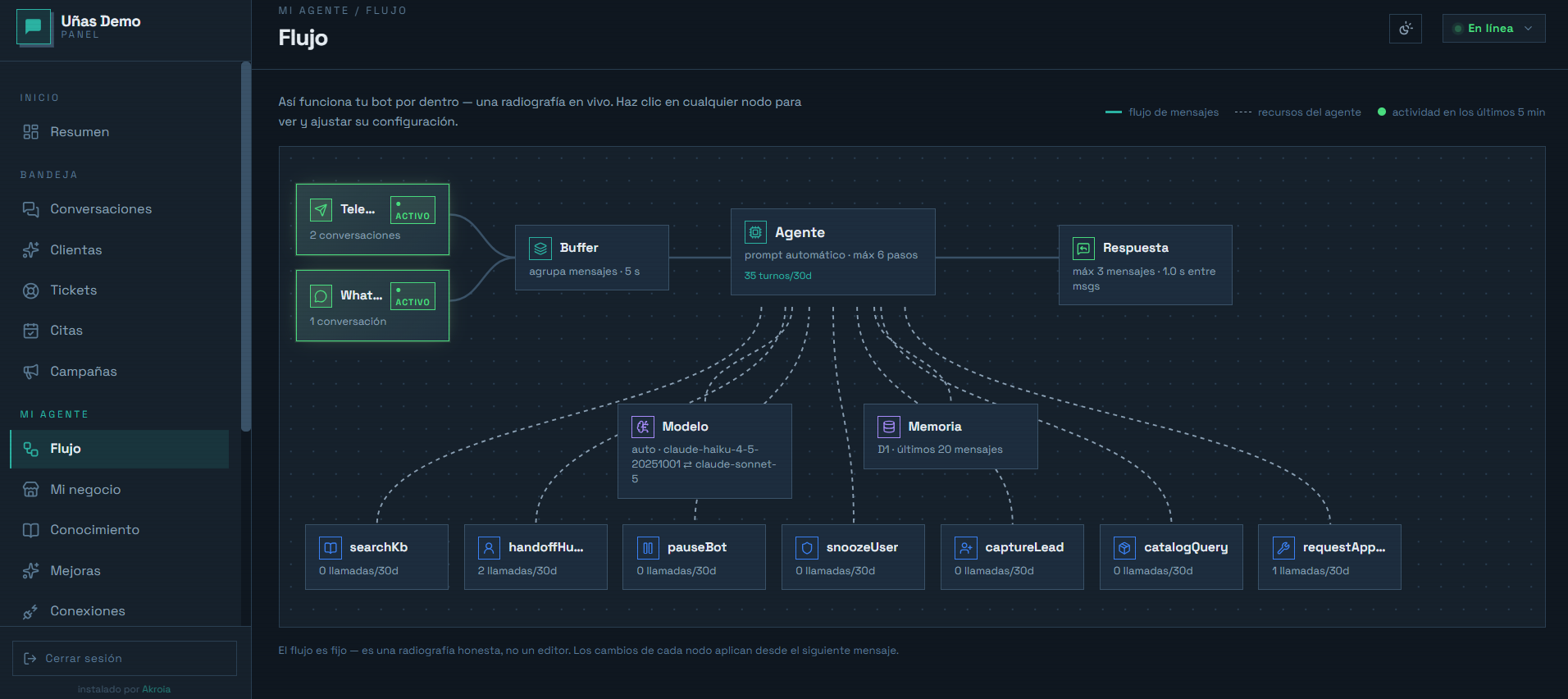
The bot answers where your customers already write to you: WhatsApp, Instagram, Messenger, and Telegram. We decide on the call which one to start with, because they don’t all switch on at the same speed or cost the same.
- Telegram connects the same day, costs nothing, and needs nobody’s permission. It’s how I show you the bot working before you commit to anything.
- Official WhatsApp requires Meta to verify your business, and charges for every message you send a customer more than 24 hours after their last one. The verification is yours to do with Meta; I’ll walk you through it, but Meta sets the timeline, not me.
- Instagram and Messenger connect through your Facebook page, and your Instagram account has to be a professional one.
The bot is the same on every channel: same information, same rules, same dashboard. What changes is where the message arrives, not what it knows how to answer.
The dashboard
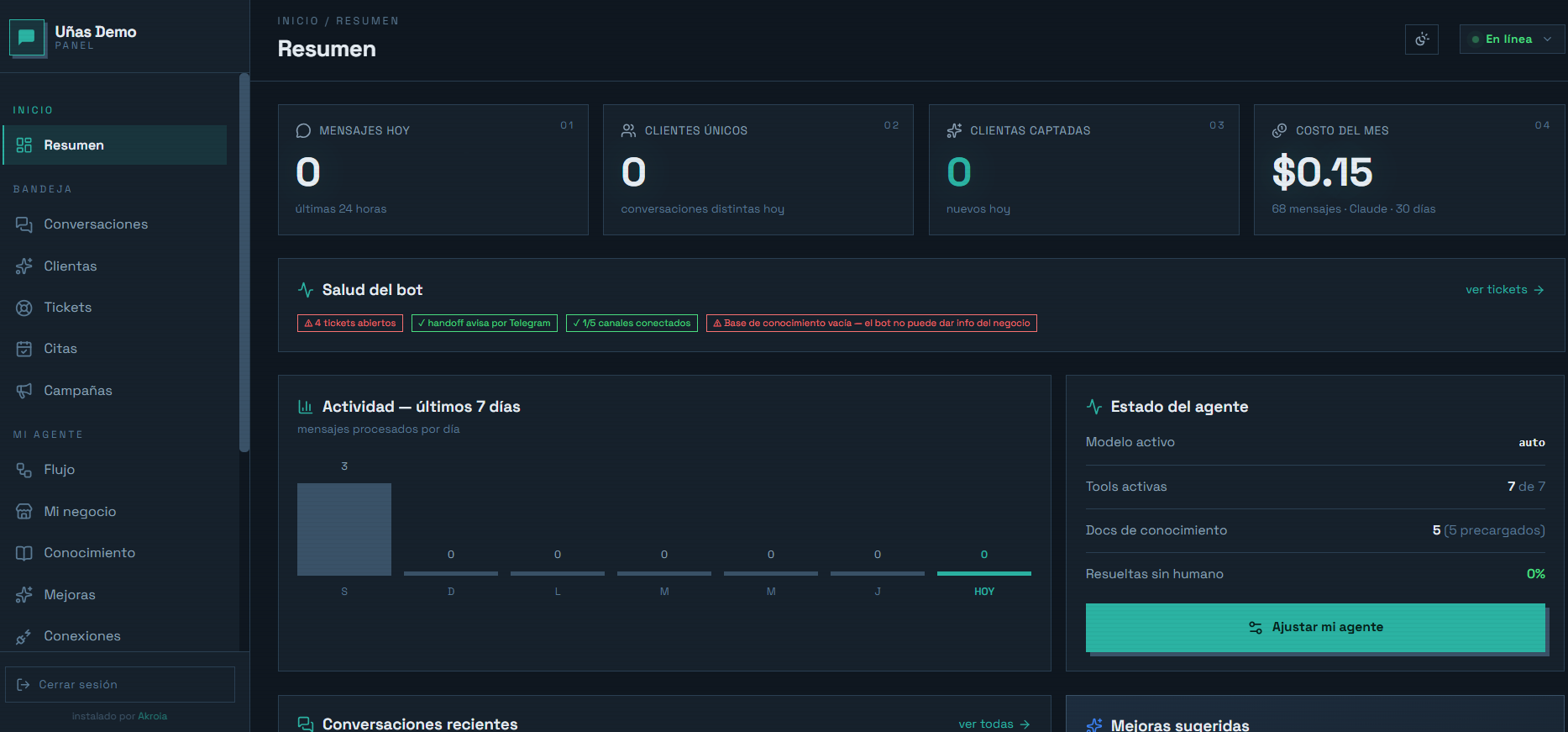
Everything runs from a web address with your name and your colors. Changing a price doesn’t require touching code.
- Full conversations, searchable, and the option to delete one entirely whenever you want.
- Pending appointments, with a button to confirm or cancel.
- The contacts who left their details.
- Your business information: hours, services, policies, the tone the bot speaks in.
- The knowledge base, for whatever doesn’t fit in a field: long documents, price lists, FAQs.
- Your people, at three access levels: full access, the owner, and staff who only see the inbox and the appointments.
- A button to pause the bot when you’d rather answer yourself.
How it gets installed
- A questionnaire that’s already half filled in. Whatever is public about your business I fill in first; you correct it and complete the rest. Whatever stays blank is the only thing the bot won’t be able to answer.
- Screenshots of your real conversations. Forty or fifty, with every customer’s name and number covered up. It’s the most valuable piece: that’s where your actual voice and your actual questions come from, and they’re rarely what people assume.
- I build the configuration and the knowledge base, and we test it together on a practice bot.
- You fix whatever sounds off, and only then does it get connected to real customers.
Where the data lives
The bot is installed in an account in your name, with your own AI key. Your customers’ conversations, phone numbers, and appointments are stored in your database, not mine. If you ever leave, the account and the data stay with you — there’s nothing to recover from anywhere else.
What you should know: the text of the messages passes through the AI provider so the reply can be generated. That’s unavoidable in any chatbot that runs on AI, and I’d rather you hear it from me.
What you pay directly, and to whom
Never through me. I charge for the installation and the support; everything else you hire yourself and cancel yourself.
- Cloudflare, where the bot lives. For a small business the free plan is usually enough.
- Your AI key, billed by usage. It gets a daily cap: if it’s reached, the bot pauses and tells you instead of spending on.
- Meta, only if you use official WhatsApp and message someone outside the 24-hour window.
The price
It depends on your line of work, how many channels you connect, and whether your type of business already exists as a template or has to be built from scratch. You get the number on the call.
The chatbot almost always comes after the diagnostic, not before: that way it sits on a process we already reviewed, instead of automating the mess.